Scrimora Now Has a Drafter, and It Is Linked to Your Scrims
ReleaseEmmanuel Lampe02 Oct 202610 min read
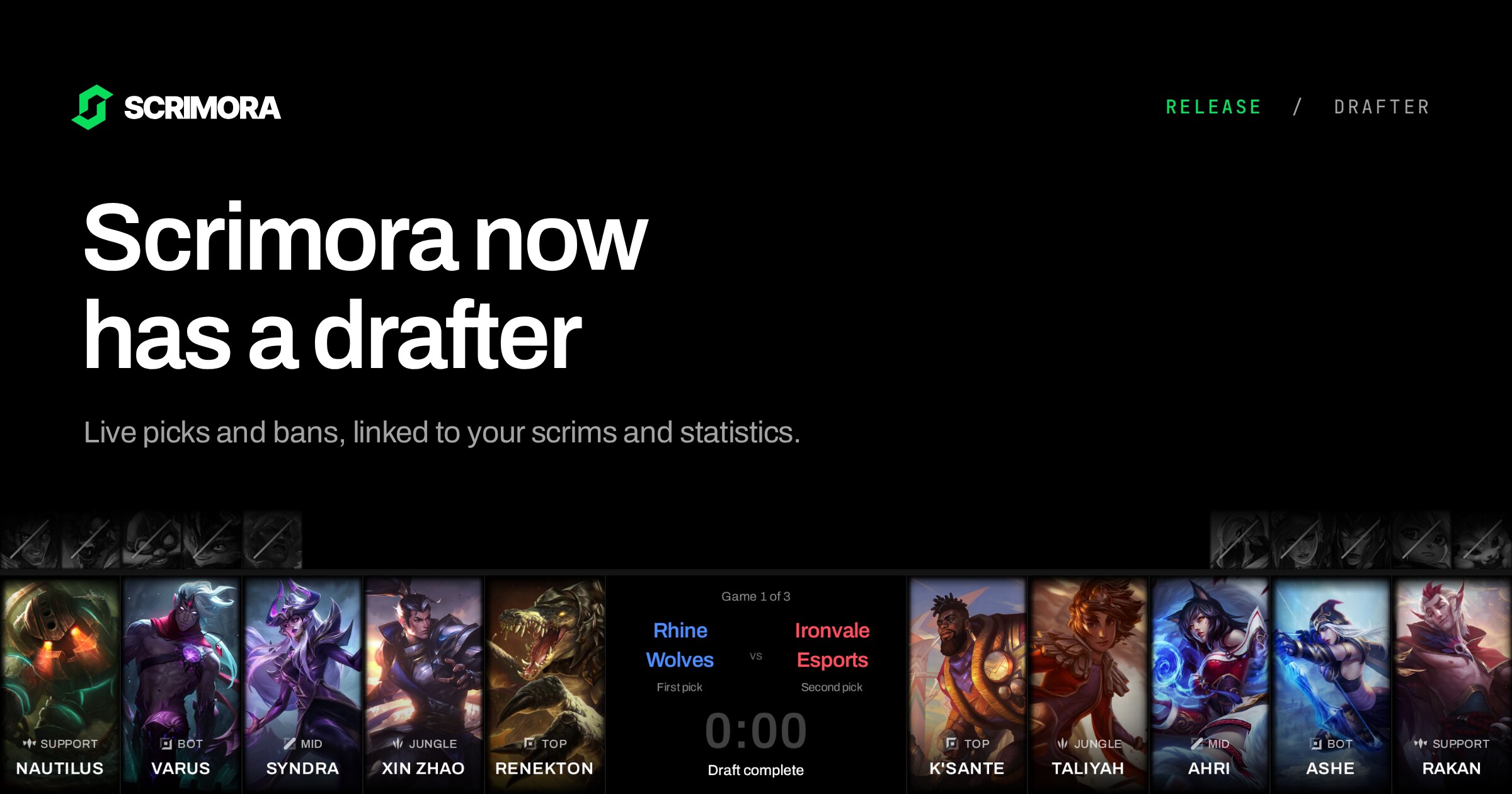
Scrimora already covers the week around a scrim. You plan the block, your players set their availability, and after the games you import them into your statistics.
The draft happened somewhere else. Most teams used drafter.lol. We decided to build our own drafter for three reasons:
- Your statistics miss the draft. Imported games often have no bans. They also do not know that a game was game 2 of a Bo3 or a Bo5. And when a scrim is already in your planning, the draft should come from that event.
- The anti-adblock wall. Many of you told us that the anti-adblock screen on drafter.lol is annoying. Scrimora has no ads, so there is nothing to block.
- Swaps and roles were hard to understand. Some teams did not know how to swap champions or confirm roles. They wrote it in the League lobby chat instead: "Xerath is Zeri", or "Corki goes mid, Hwei bot" at the end of the draft.
This release adds a live drafter to Scrimora and links it to the planning and import features you already use. It also has a list of smaller improvements from your feedback.
Here is what shipped and how to use it:
- A free, live drafter for one to five games, with Fearless and Ironman
- Change requests and role confirmation
- An LCK broadcast layout and stream settings
- Favorite champions
- Scrim events that create the draft for you
- Series imports into your statistics, shared with your opponent
- Ranked 5s, Flex and Clash as their own types
- Smaller changes from your feedback
Create a draft series without an account
Open scrimora.app/drafts. Neither team needs a Scrimora account.
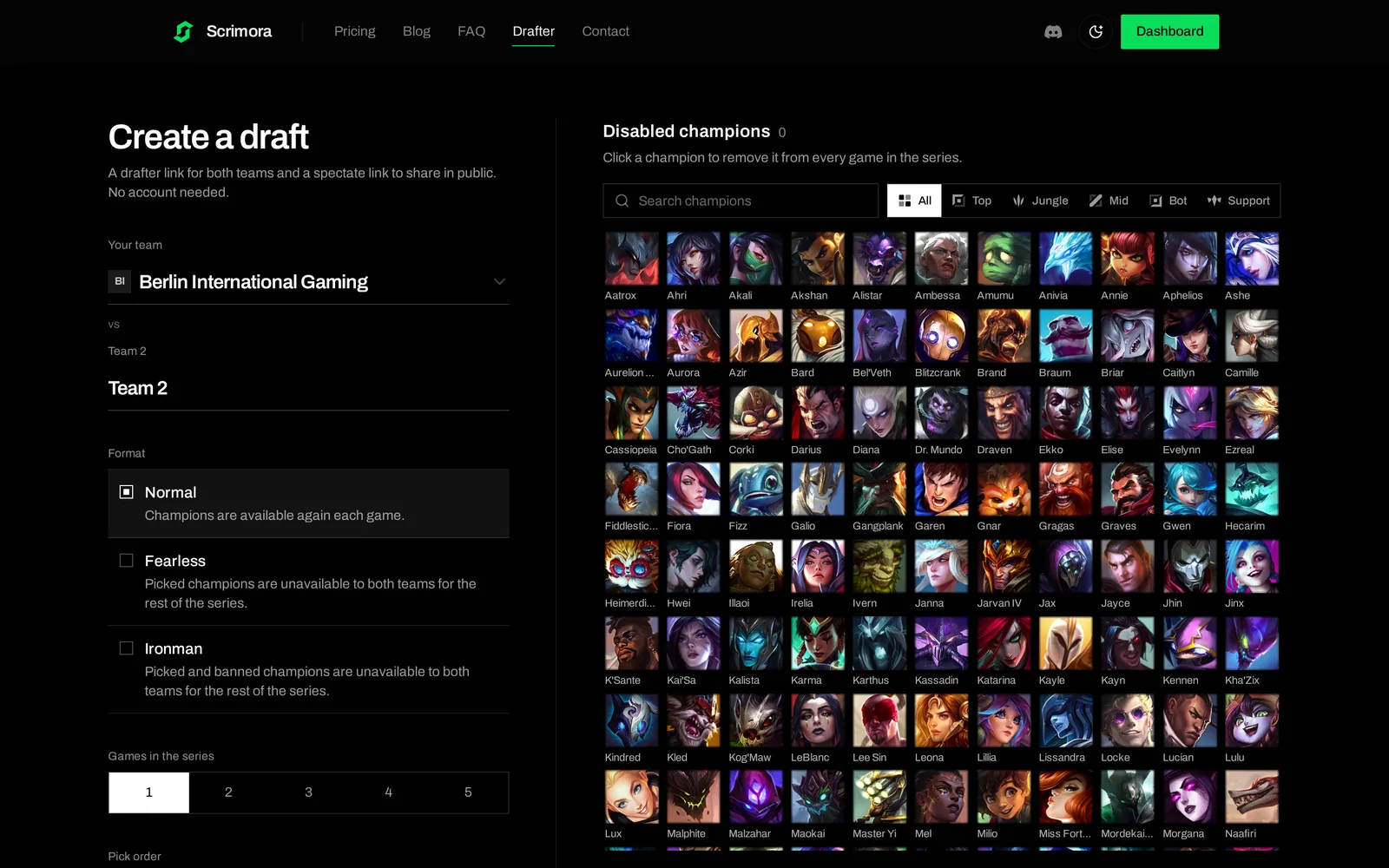
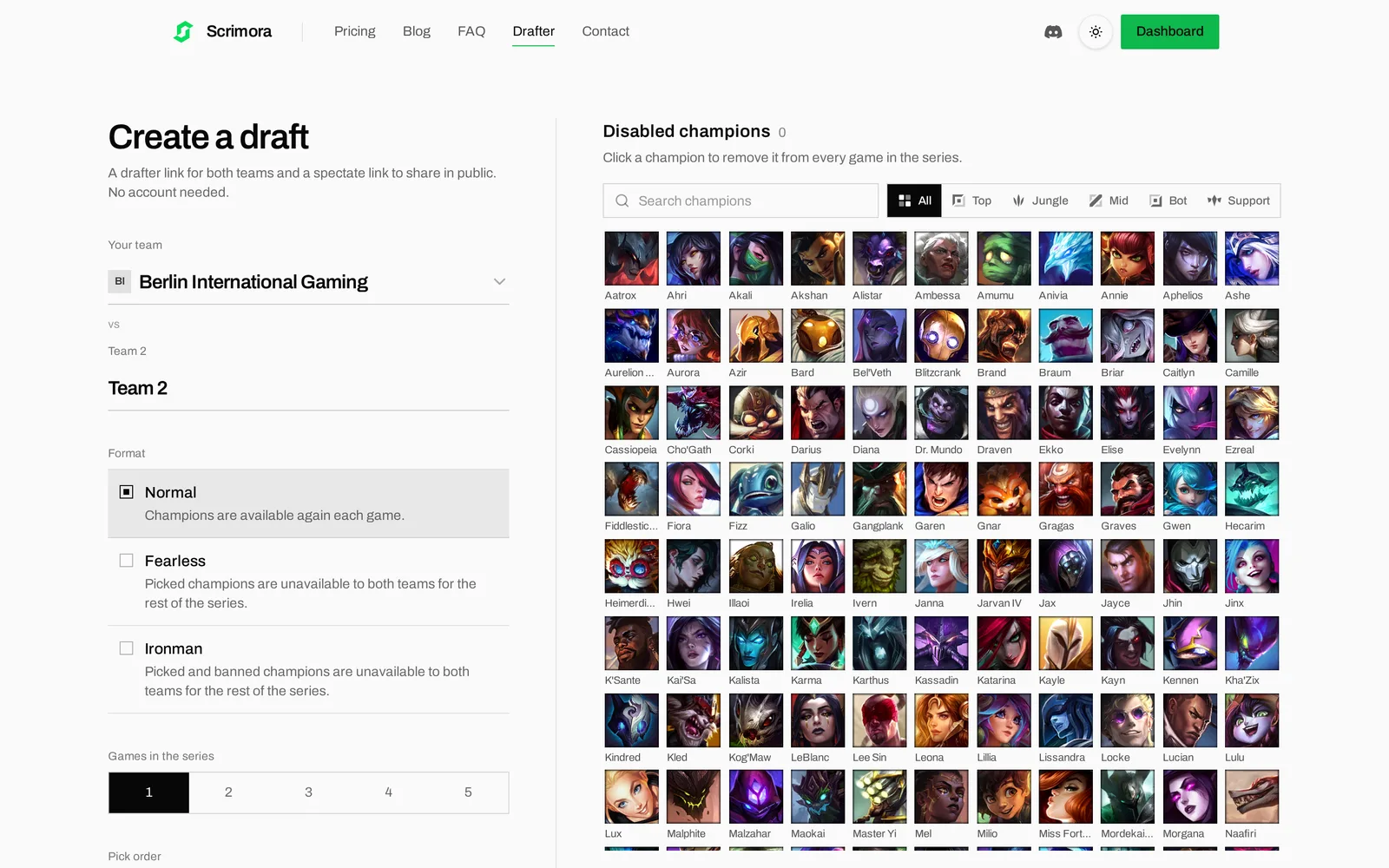
You set:
- Team names. If you are signed in, "Your team" is already filled in.
- Format. Normal, Fearless or Ironman. In Fearless, picked champions are gone for both teams for the rest of the series. Ironman also removes banned champions.
- Games in the series. One to five. This is a fixed number of drafts, not a best-of. You do not have to enter a winner.
- Pick order. "Blue side picks first", or First Selection, where teams choose first or second pick separately from map side.
- Disabled champions. Click a champion to remove it from every game, for example a champion with a known bug on the current patch.
When you click "Create draft", you get two links:
- The drafter link lets anyone take a free drafter seat or watch.
- The spectate link can only watch. Post it in your stream chat or your Discord without the risk that a viewer takes a seat.
Each team has one drafter. When you open the drafter link, you choose a team or spectate.
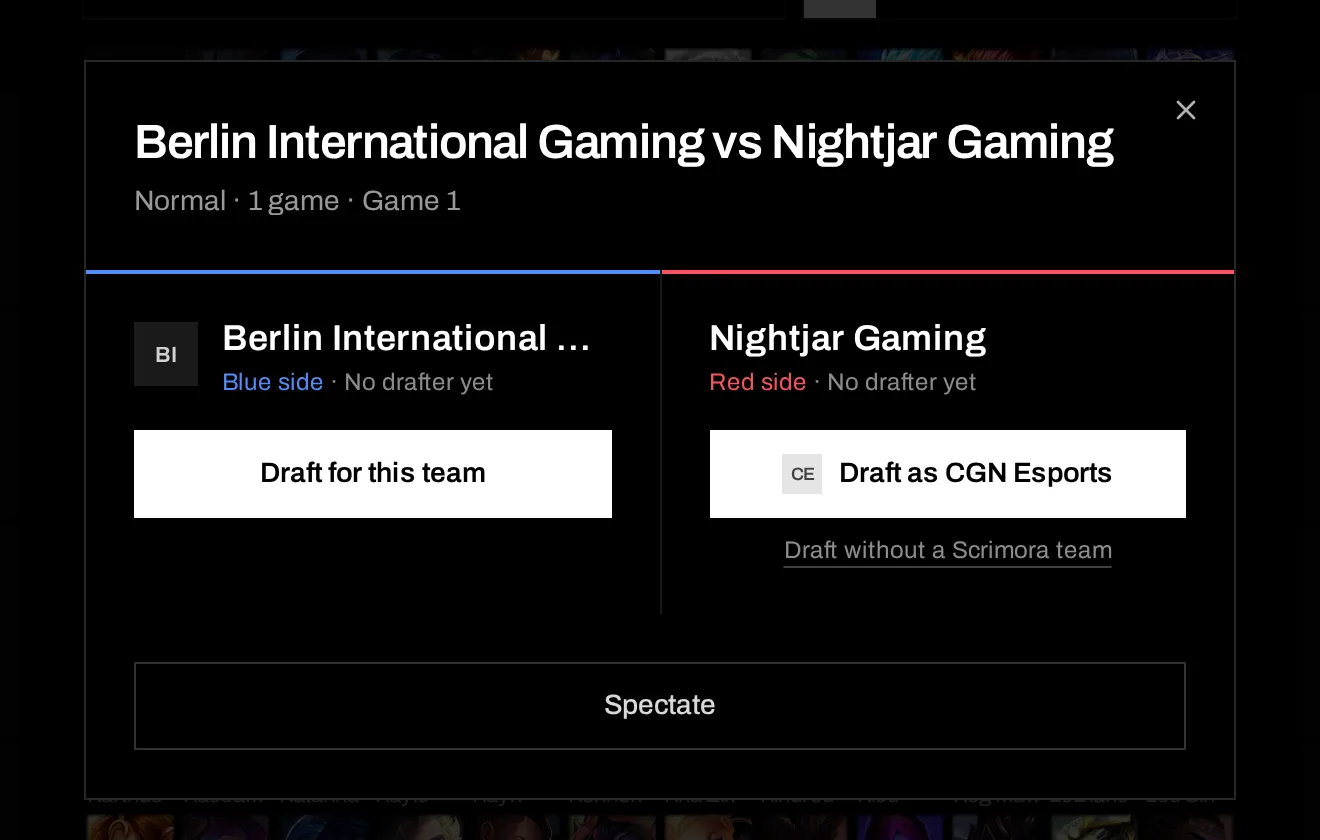
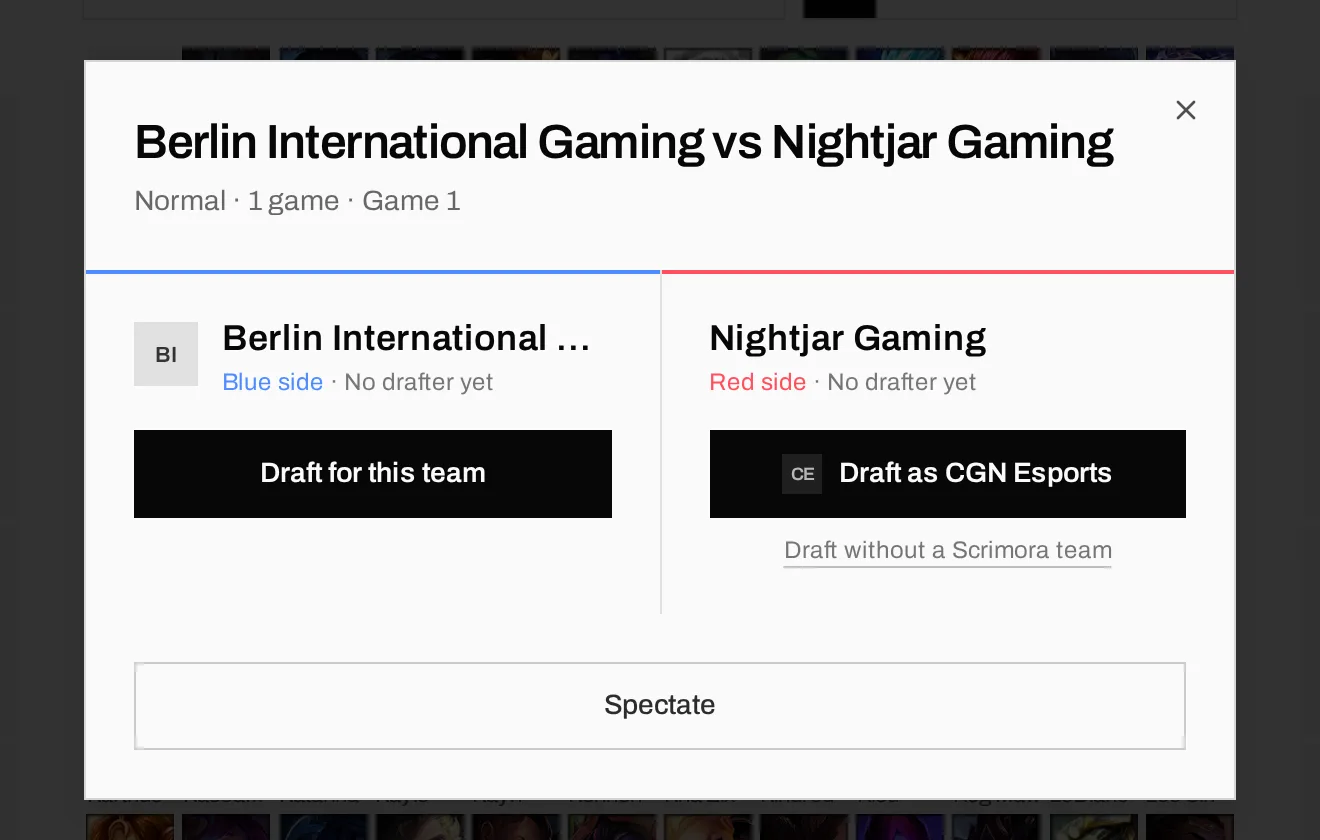
If you are in a Scrimora team, you also see "Draft as" with your team name. Use it. It links the slot to your team, and that link is what makes the series import work later.
How a draft runs: ready check, 30 second turns, no pauses
Before the first turn, each drafter can swap sides (and pick order with First Selection). When the other drafter is already seated, a swap becomes a request that they accept or decline. The draft starts when both drafters click "Ready".
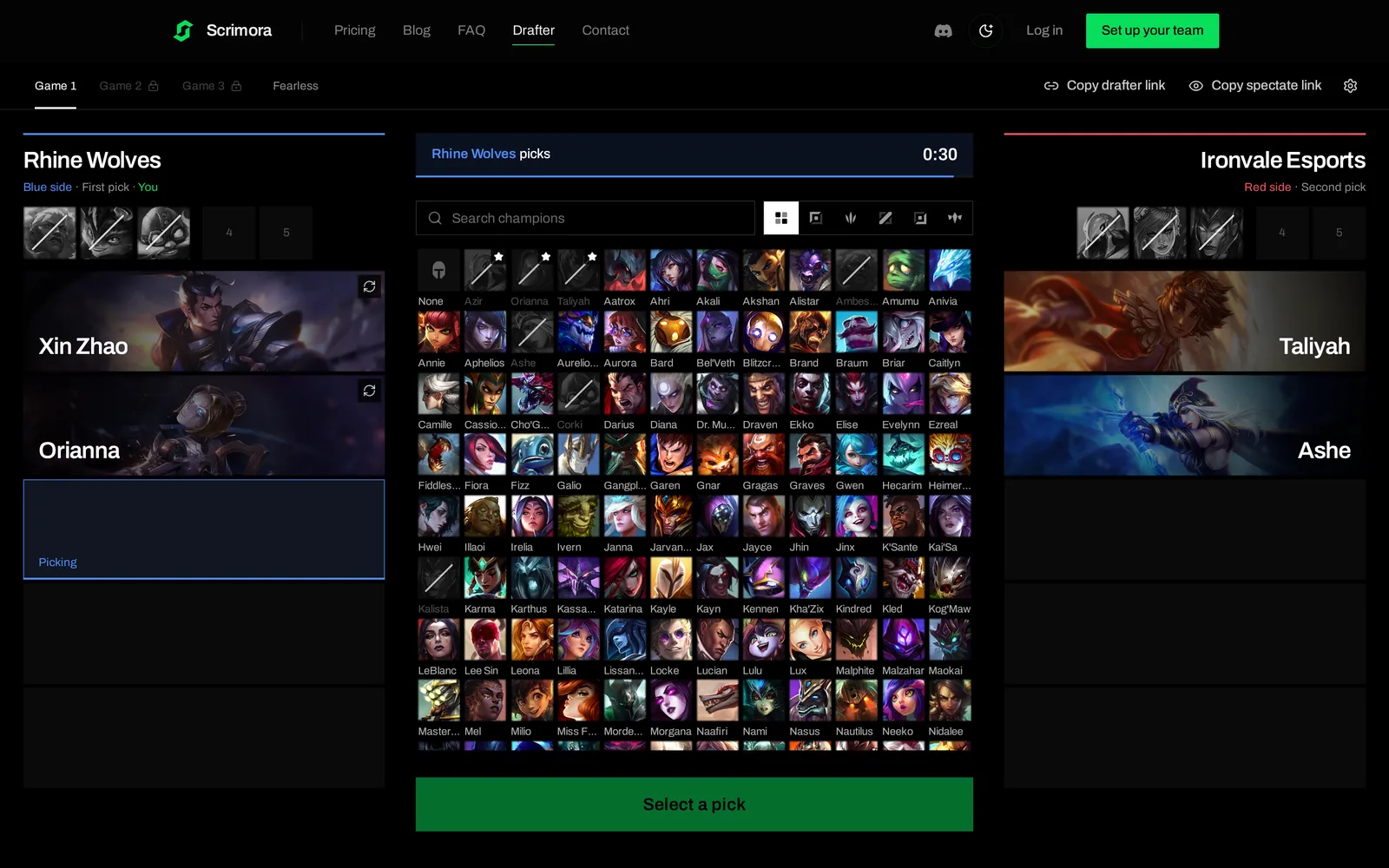
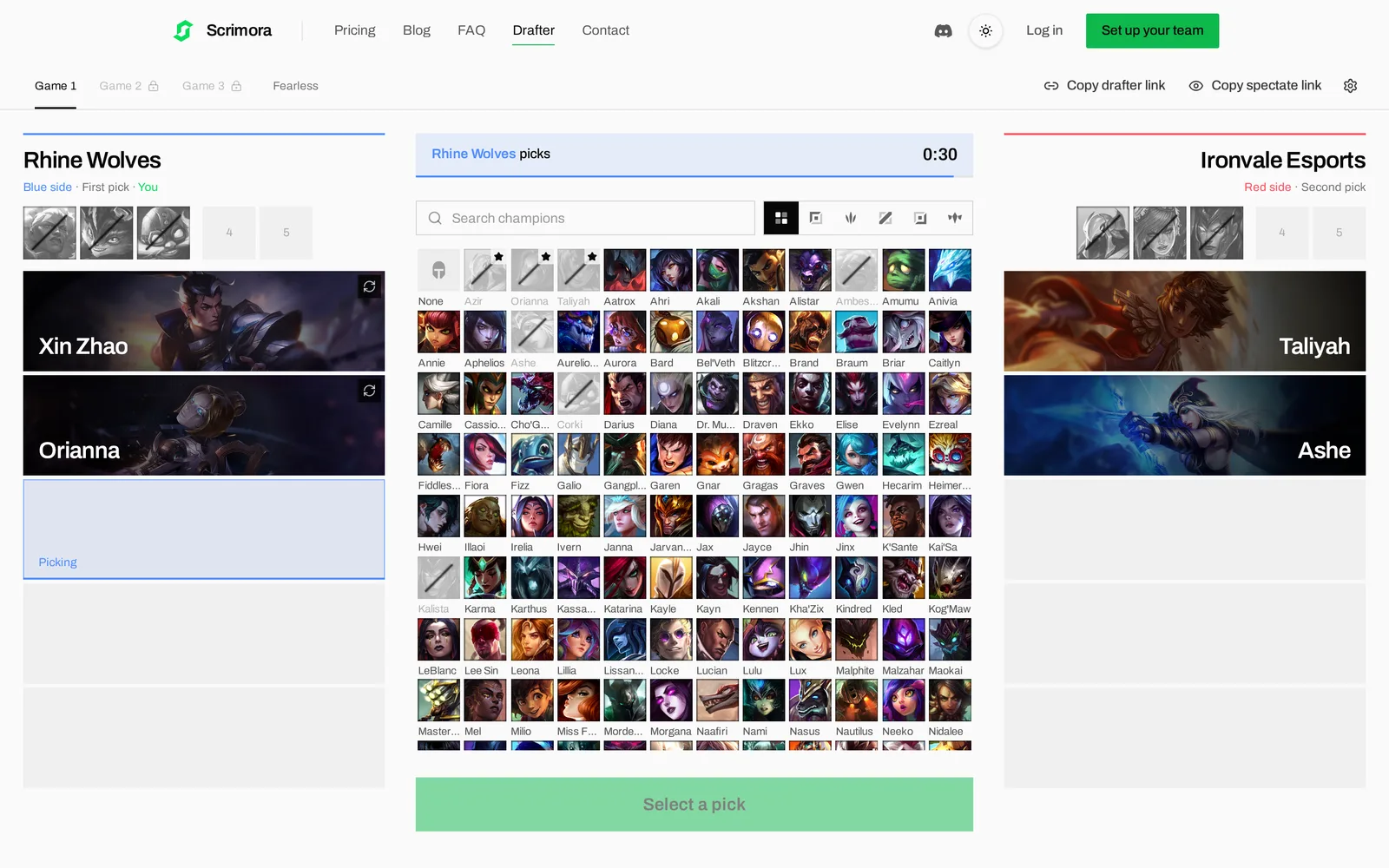
Each pick and ban has 30 seconds. The server owns the timer, not your browser. If a drafter closes the tab or loses their connection, the draft does not wait. When time runs out, the champion you selected is locked in. If you selected nothing, the slot stays empty.
To leave a ban empty on purpose, click the "None" tile at the start of the champion list.
The order is the standard tournament order: three bans each, three picks each, two bans each, two picks each.
Fix a misclick with a change request
Everyone has locked the wrong champion at least once. You do not have to restart the draft for it, and you do not have to write "Xerath is Zeri" in the lobby chat.
Click the icon on your own completed pick, choose the replacement and click "Request change". The other drafter sees the request and accepts or declines it.
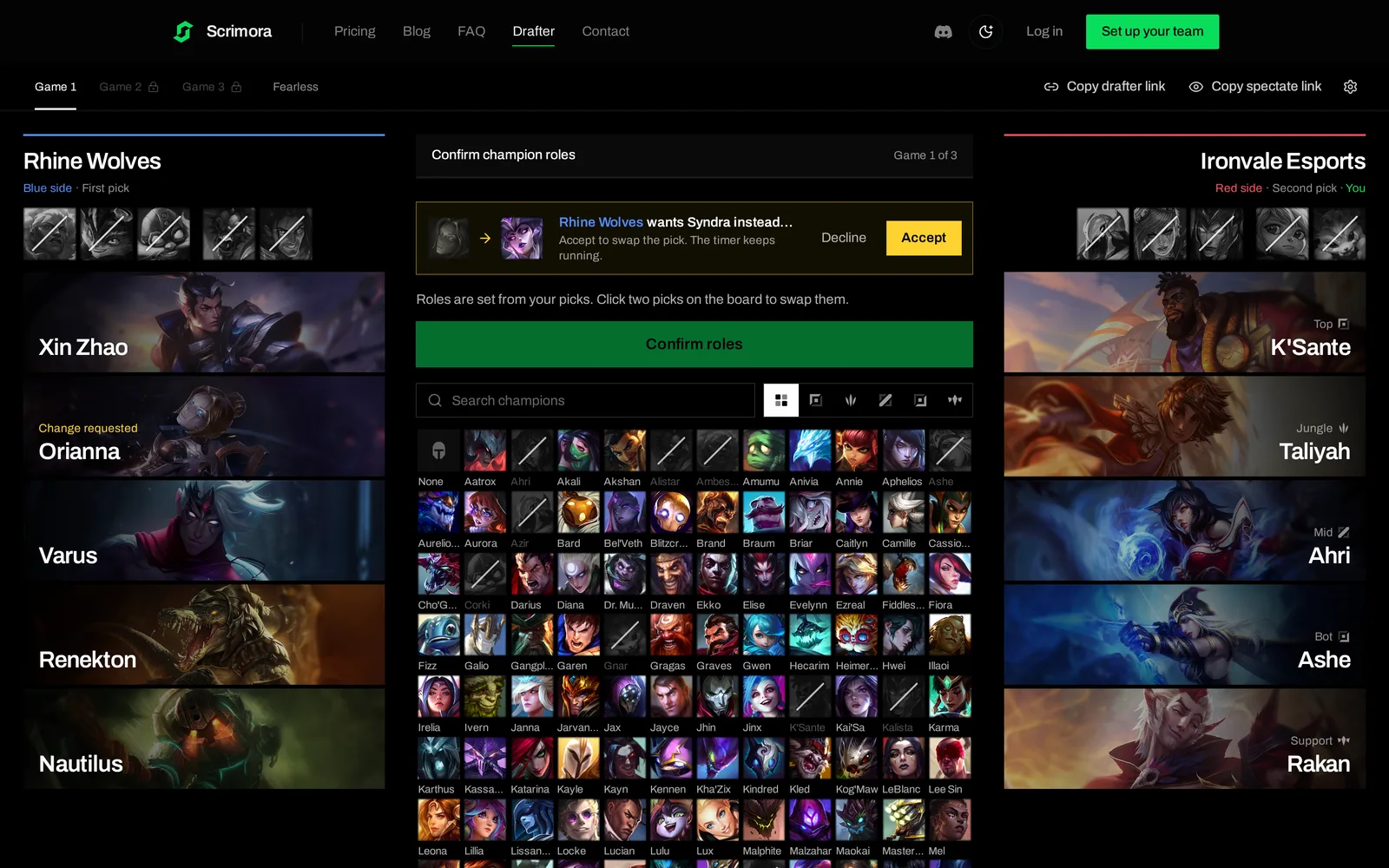
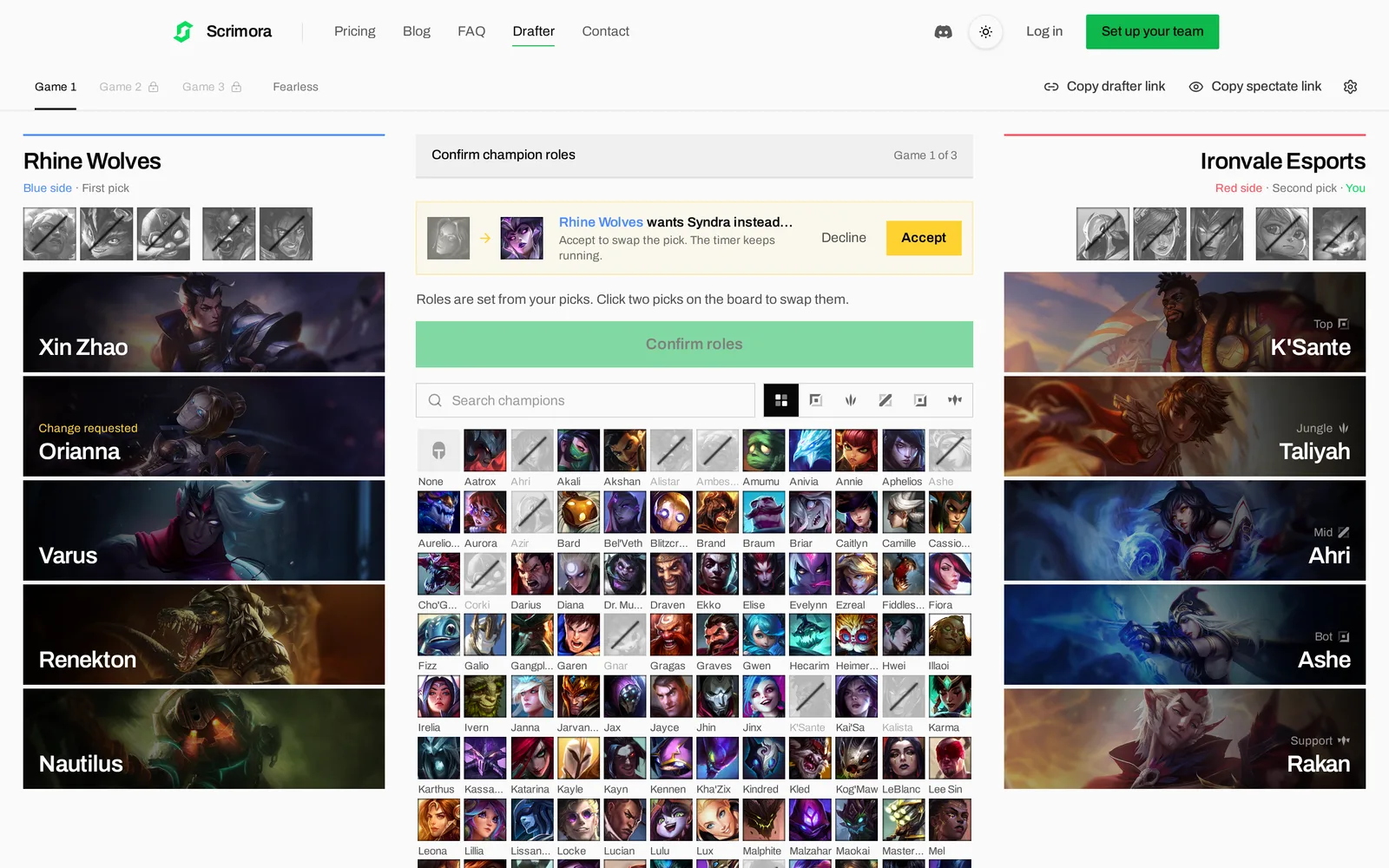
The timer keeps running during a request. Bans cannot be changed, only picks. We check again on accept that the replacement is still legal, because a later pick or ban can use that champion first.
Confirm roles before the next game
After the last pick, Scrimora sets roles from your picks. If it guessed wrong, click two picks on the board to swap them, then click "Confirm roles". The board then shows Corki in mid and Hwei in bot, so nobody has to explain it in chat.
Your role order stays hidden from the other team until both teams have confirmed. After that, a seated drafter can start the next game. Map sides swap by default, and in Fearless or Ironman the used champions show in a separate strip.
Stream the draft with the LCK layout
If you cast your scrims or officials, open the spectate link and click the gear icon. Under "Layout", choose LCK.
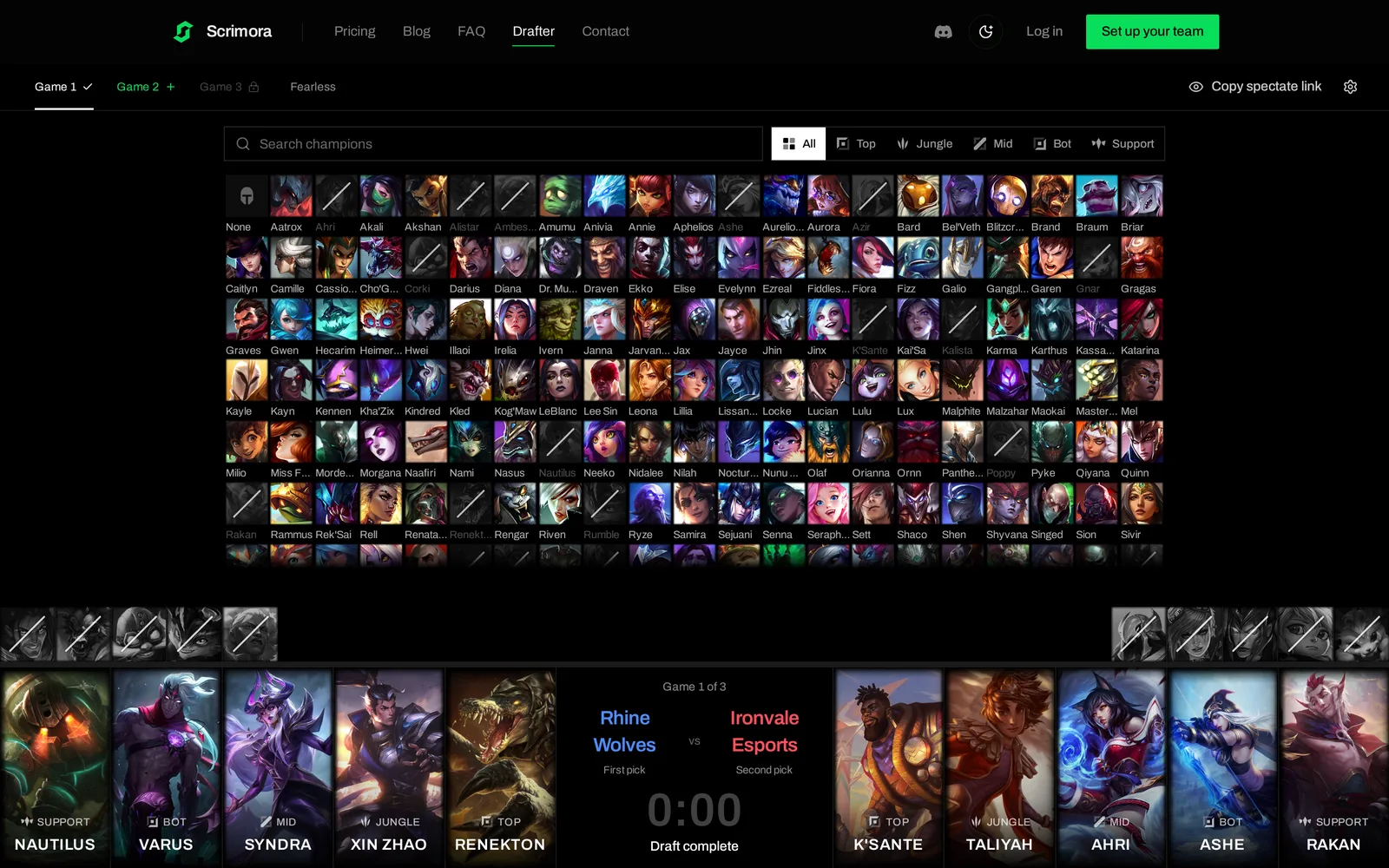
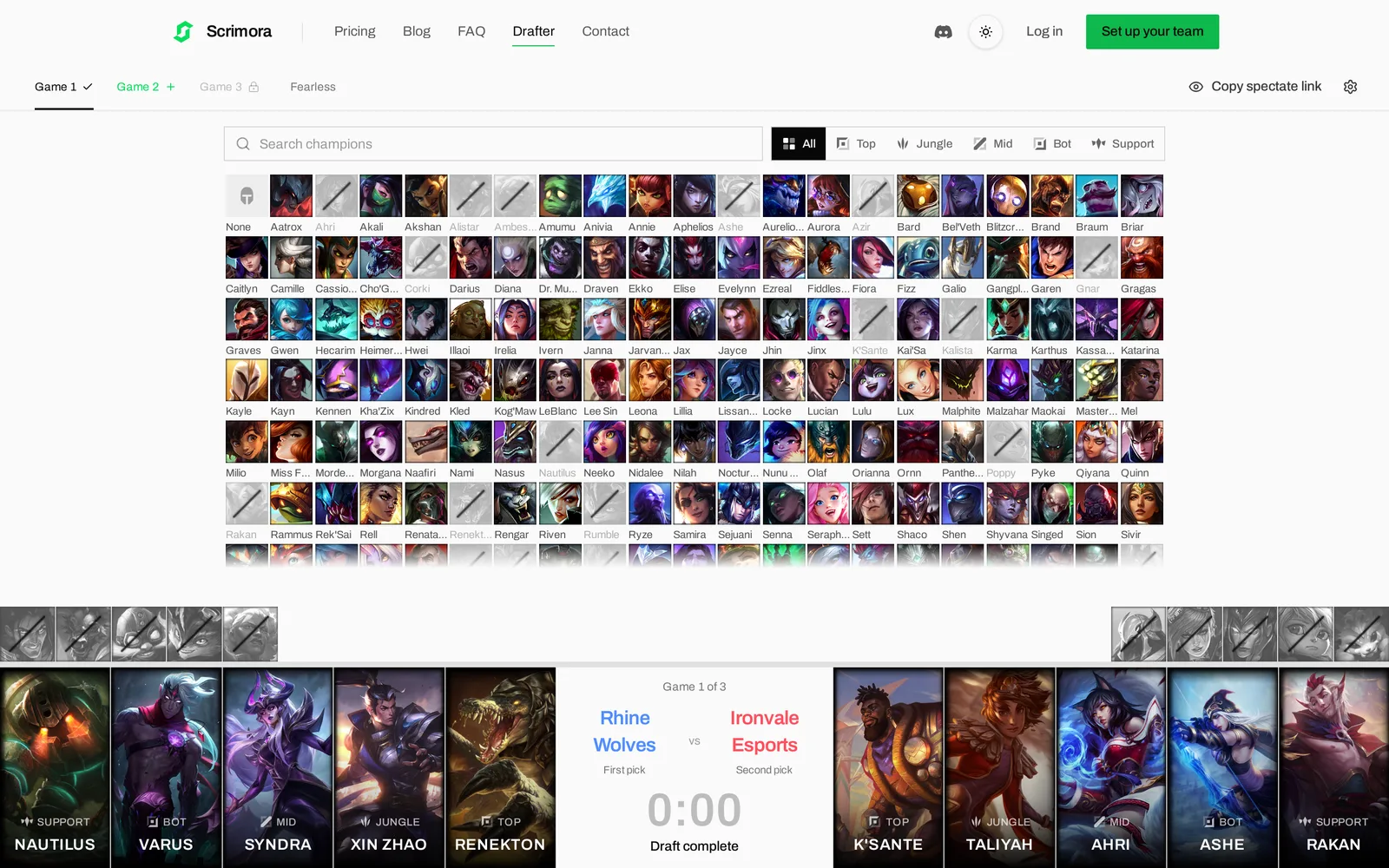
The LCK layout follows the 2026 LCK broadcast. Picks show as portrait cards with loading screen art, filled from the center outward, and the timer and team names sit in the middle. The board fits one screen.
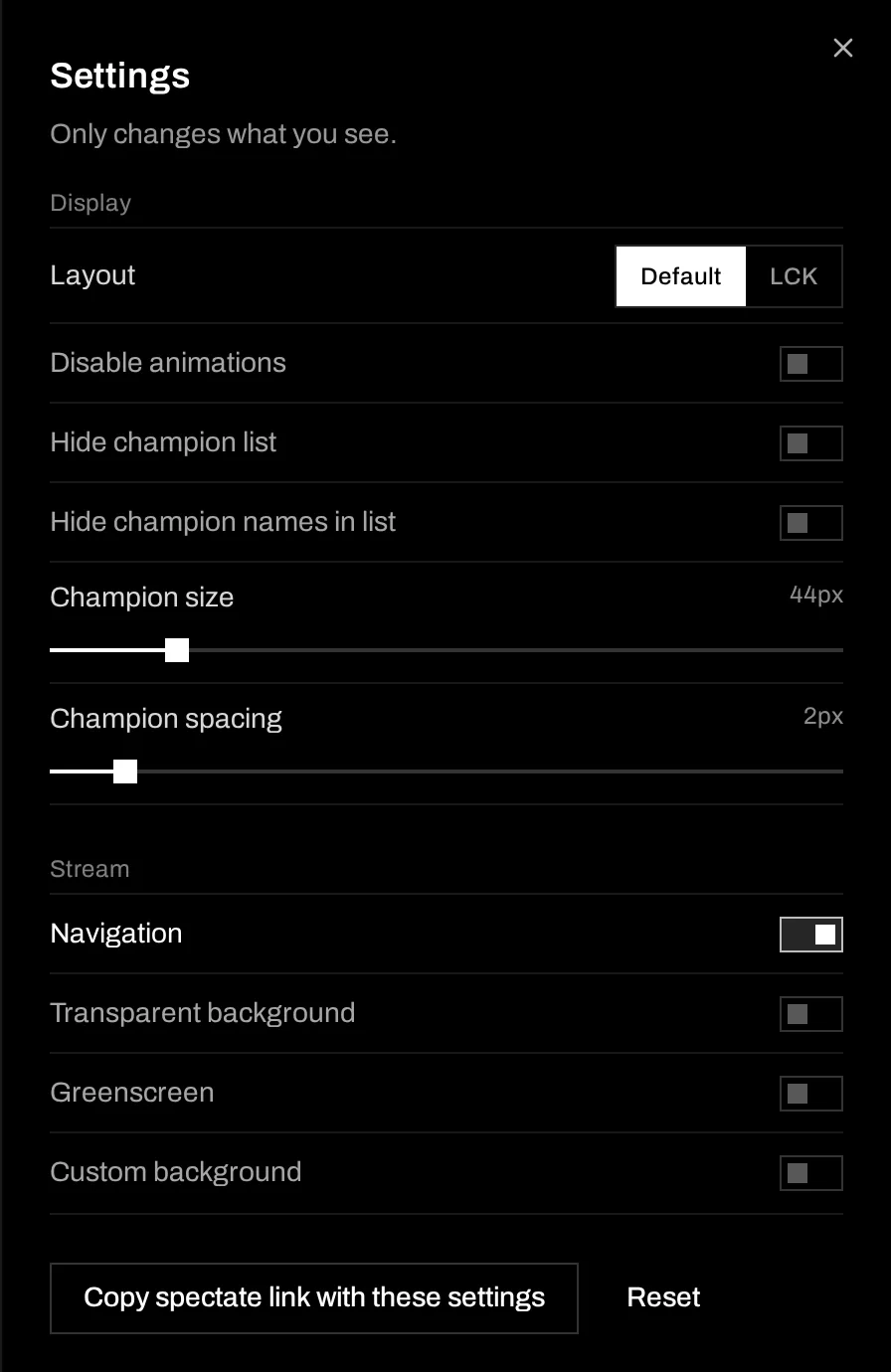
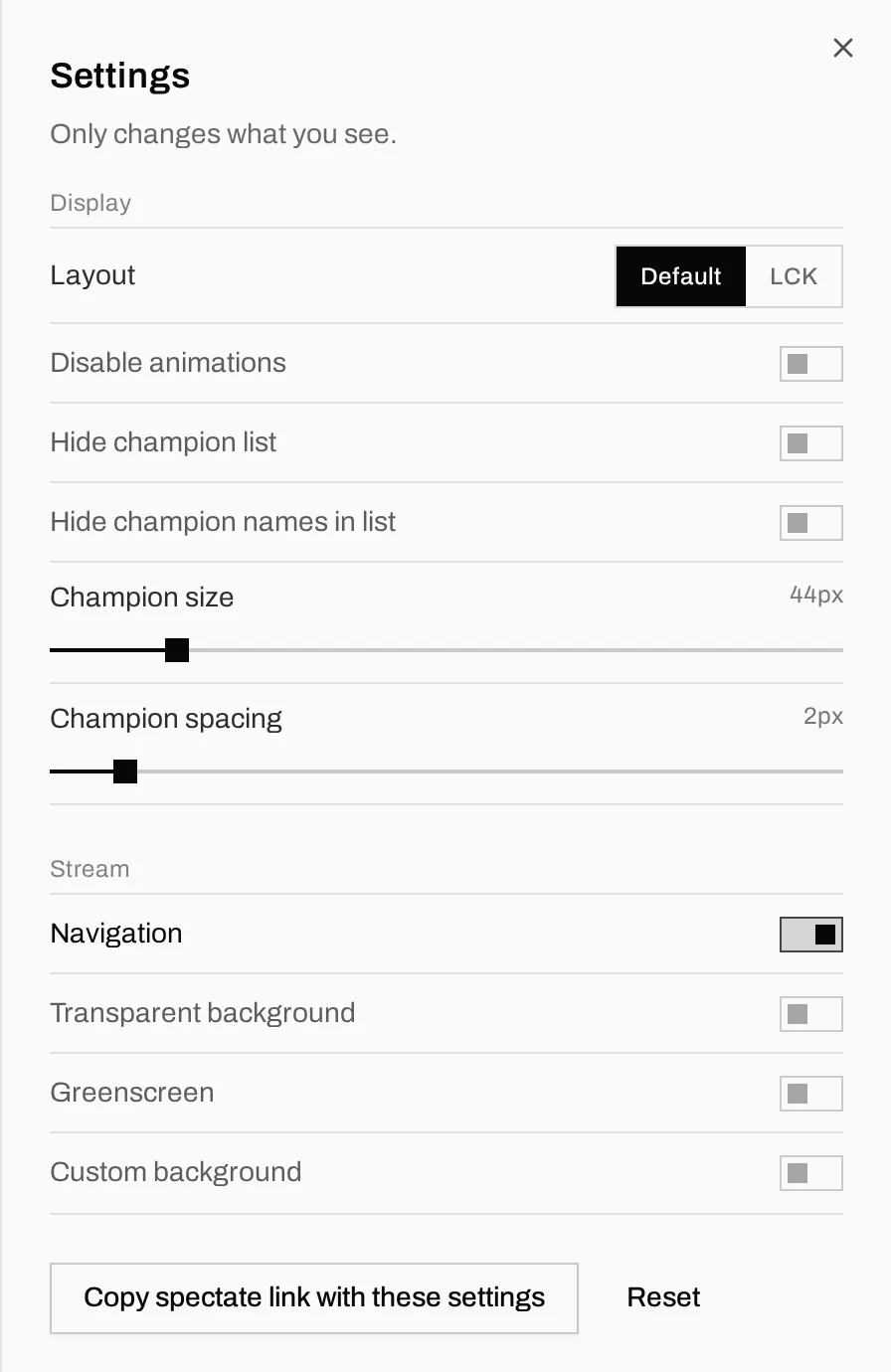
The "Stream" options are for OBS:
- Turn off Navigation to hide the site header.
- Transparent background or Greenscreen for keying.
- Custom background with your own HTTPS image URL.
- Hide champion list if you only want the board.
Settings only change what you see. Click "Copy spectate link with these settings" and paste that link into an OBS browser source. The settings travel in the link, so your caster sees the same layout as you.
Pin your favorite champions
Hover a champion in the list and click the star. Favorites go to the front of the list, so your comfort picks are one click away when the timer runs. In the draft screenshot above, Azir, Orianna and Taliyah are favorites.
If you are signed in, favorites are saved to your account. As a guest, they are saved in your browser.
We also removed settings. The first version had sound effects and more than a dozen display toggles. We removed the sounds and kept only the toggles that change how you draft or stream. If you miss one, tell us on Discord.
Schedule the scrim, and the draft comes with it
This is the part that connects the drafter to your team. Go to Planning, click "New Event" and choose Scrim or Official. You now get series fields:
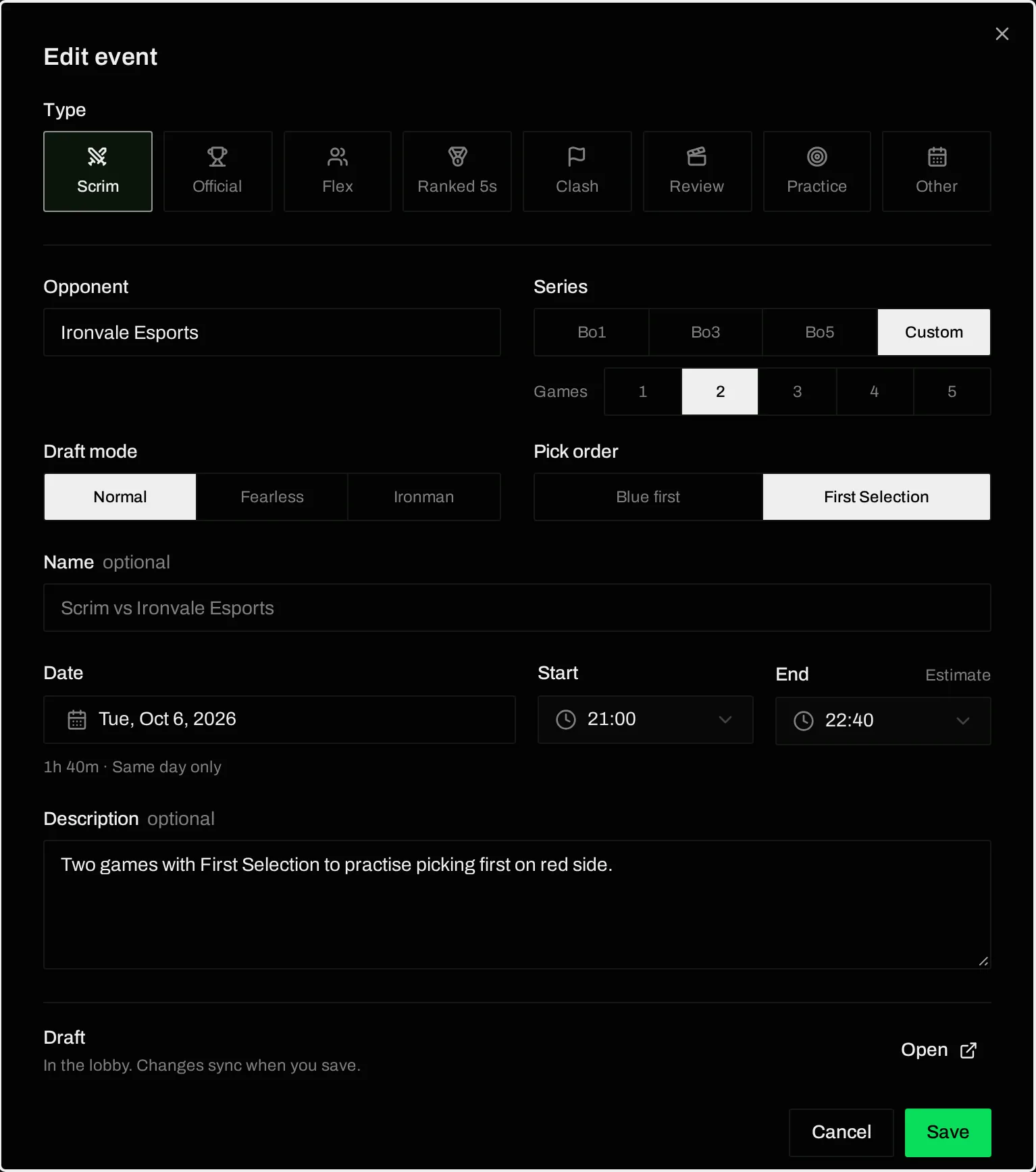
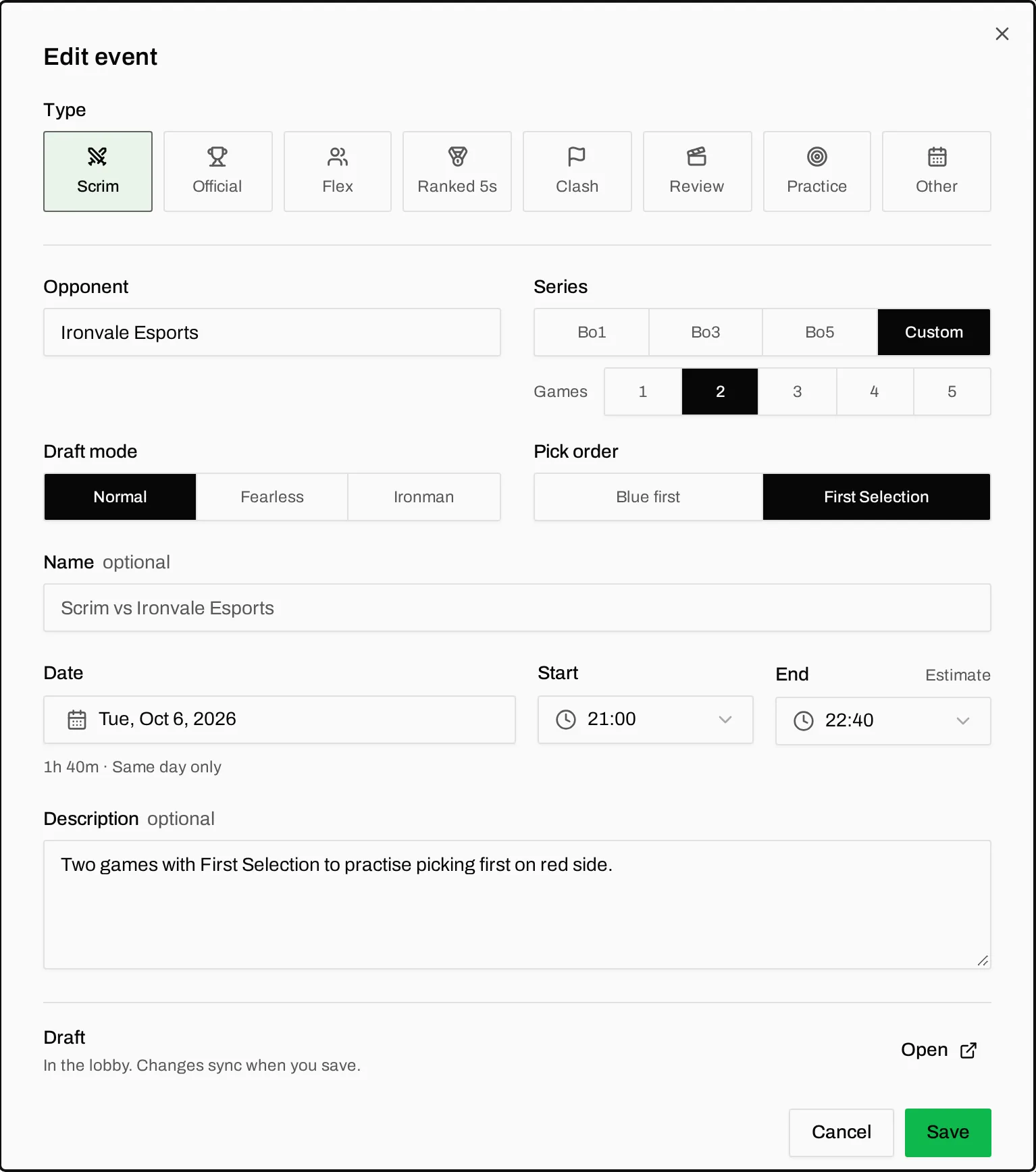
- Opponent. The event name falls back to "Scrim vs Ironvale Esports", so you can leave "Name" empty.
- Series. Bo1, Bo3, Bo5, or Custom for one to five games.
- Draft mode and Pick order, the same options as on the drafter.
- End time. Scrimora estimates 50 minutes per game. Type your own time if your scrims run longer.
Click "Save and start draft". Scrimora creates the draft series with your team linked to slot 1. Send the drafter link to the other team's drafter.
While the draft is still in the lobby, your changes to the event go to the draft when you save. If you change Bo3 to Bo5, the draft changes too. After the draft has started, it no longer syncs. If the scrim changes after that, "Save and start new draft" replaces it.
When the other team joins with "Draft as", their team is linked to the event. The opponent field changes to their real team name, so a typo in your event does not stay there.
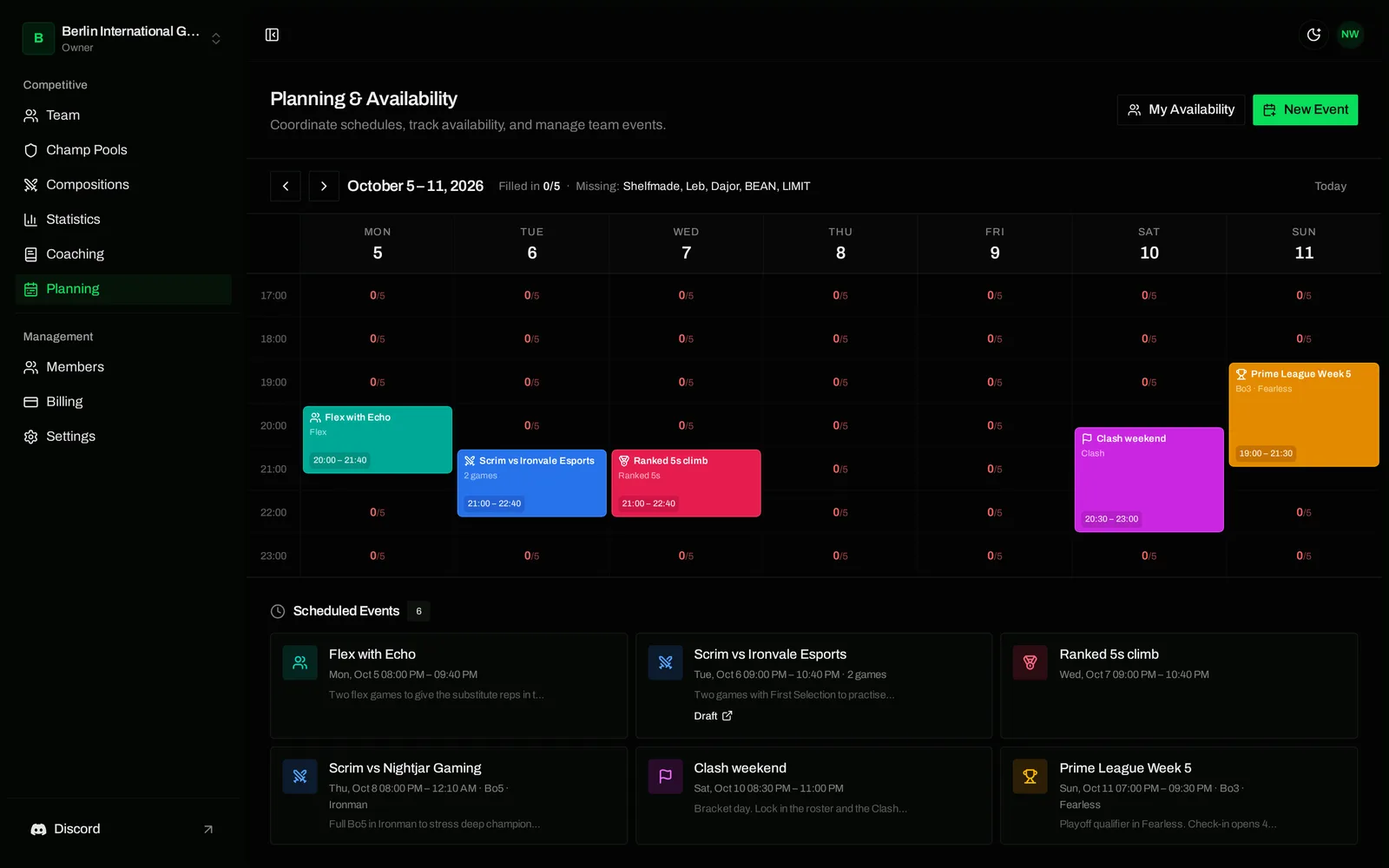
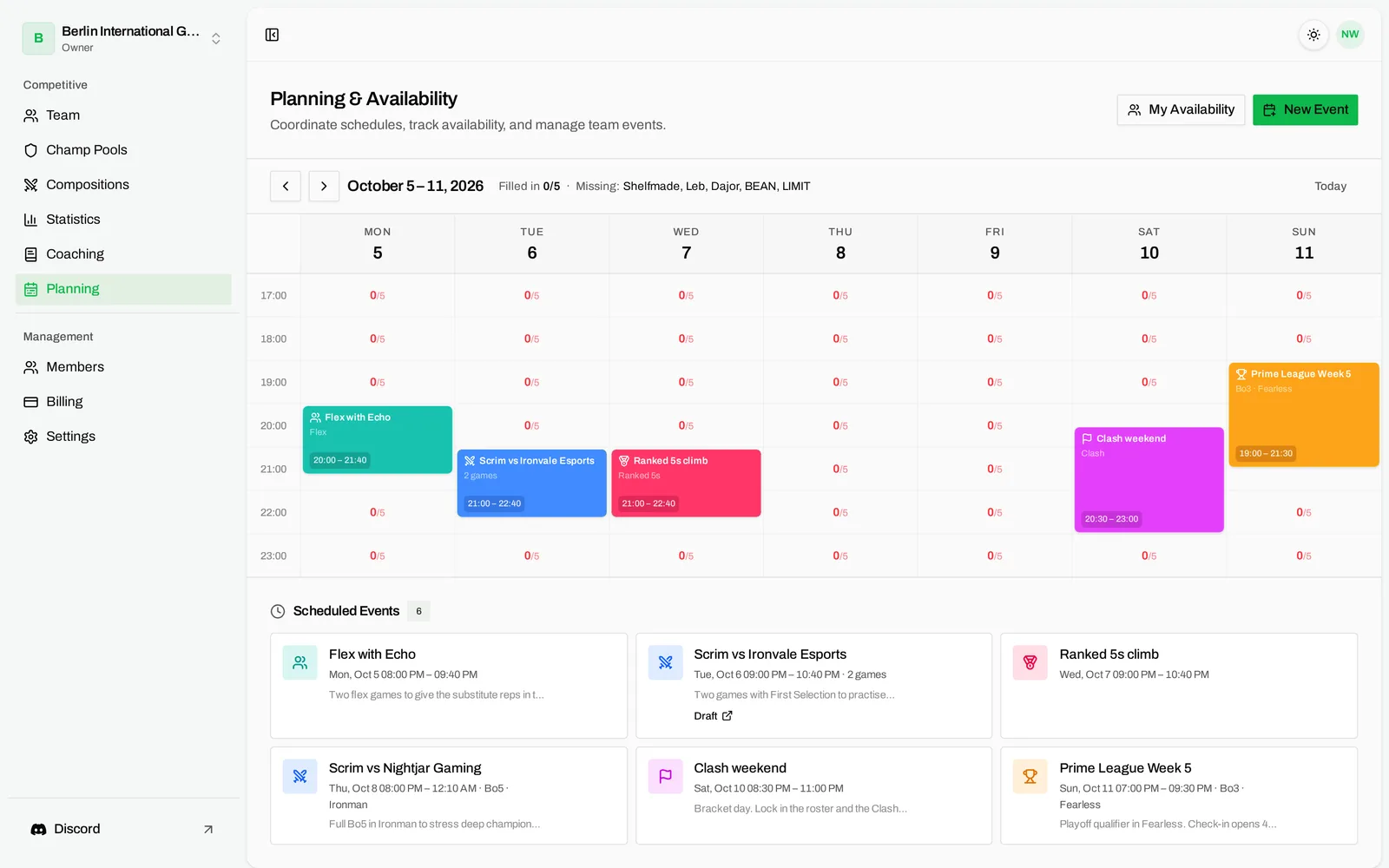
The event card and the list below the calendar show a "Draft" link, so your players find the draft without asking in Discord.
Import the whole series into your statistics
After the scrim, go to Statistics, click "Import game" and open the new Draft series tab. It lists the series that your team is linked to.
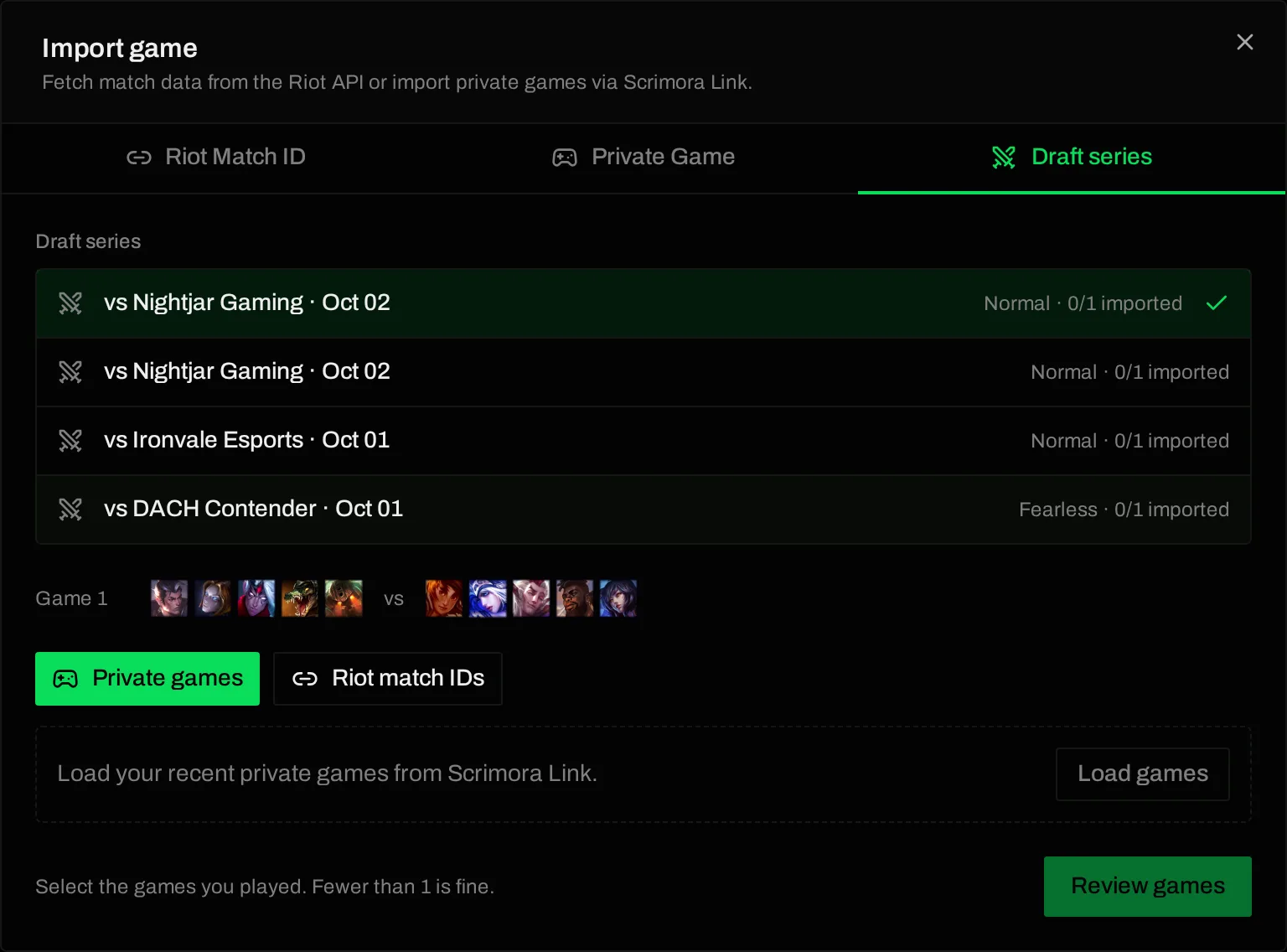
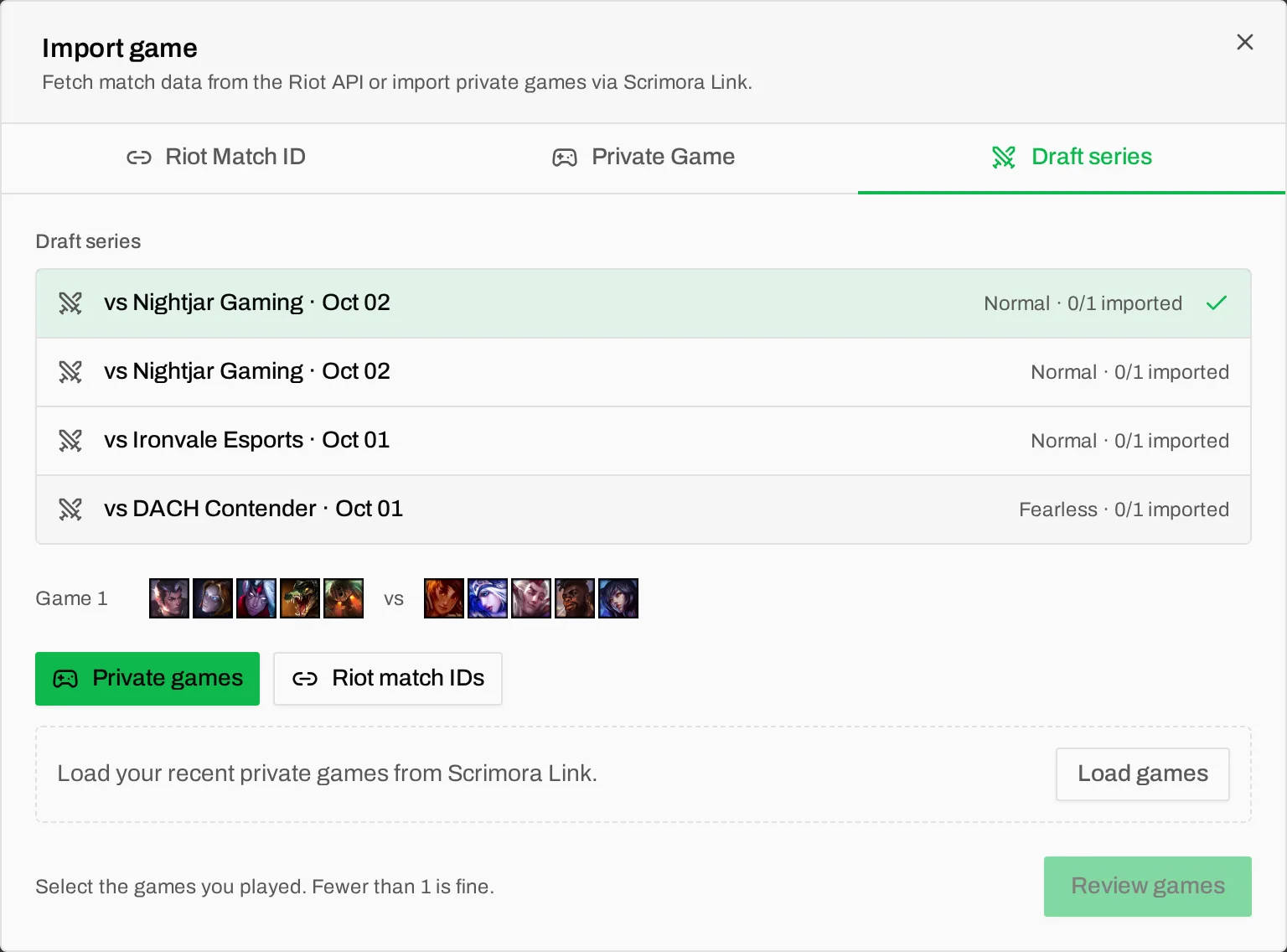
- Choose the series. You see the picks of each game.
- Choose where the game data comes from. Private games loads your recent custom games from Scrimora Link. Riot match IDs takes one ID per line.
- Select the games you played and click "Review games". If you played fewer games than planned, that is fine.
- Review each game and click "Import and next game".
On the Draft tab of the review, Scrimora checks that the champions match the draft. Bans that are missing from the game data are filled in from the draft. That is the step that used to be typing.
Share the games with your opponent
If the other team linked their slot, you see a checkbox "Share with" and their name. The games are added for them at once when all five of their players match and their link came from a member who can edit competitive data. Otherwise the games wait for them.
Waiting games show at the top of the opponent's Statistics page: "2 games from your draft series vs Rhine Wolves are waiting". They click "Review games", match their players, and the games are in their statistics too. One team imports, both teams get the data.
Ranked 5s, Flex and Clash are now their own types
Riot's ranked queue for premade teams is now a match type called Ranked 5s. You can choose it when you import or edit a game, and filter by it on the Statistics page. Your Ranked 5s games no longer mix with your scrims or flex games.
Planning has three new event types to match: Flex, Ranked 5s and Clash.
Smaller changes from your feedback
- Planning on phones and tablets. The tooltips on the planning grid now open with a tap. Tap an event to see its details. Managers get an "Edit event" button there.
- Who is missing. Above the planning grid you now see "Filled in 3/5" and the names of the players who have not set their availability yet.
- Substitutes. "Member type" now has Player, Substitute, Staff, and Player & Staff. Substitutes do not count toward a full roster and do not get availability reminders.
- Statistics on phones. The statistics page now fits a phone screen.
- Scrimora Link download. The home page offers the right download for your system (Windows, or macOS on Apple Silicon or Intel).
- A one minute tour. If you want to show Scrimora to your team, the home page has a one minute video of a week with Scrimora.
Known limits
We prefer that you hear these from us and not in the middle of a scrim:
- The timer is fixed at 30 seconds per turn. You cannot change it.
- The drafter assumes cooperative participants. Anyone with the drafter link can take a free seat. Share the spectate link in public, not the drafter link.
- A seat is freed when its drafter disconnects. There is no reconnect grace period. It can take a few seconds until Scrimora detects a lost connection.
- Ranked 5s is not detected automatically. Choose the match type by hand when you import.
- Custom games need Scrimora Link. The Riot API does not return custom games. Without Link, use Riot match IDs.
Try it with your next scrim
You do not need an account to try the drafter. Create a draft, send the drafter link to your scrim partner, and run your next block on it.
If you already use Scrimora, create your next scrim in Planning with "Save and start draft" and import the series afterwards. If something is slow, confusing or broken, tell us on Discord. Most of the small changes in this post started there.